I built an app that almost nobody needs. On purpose.
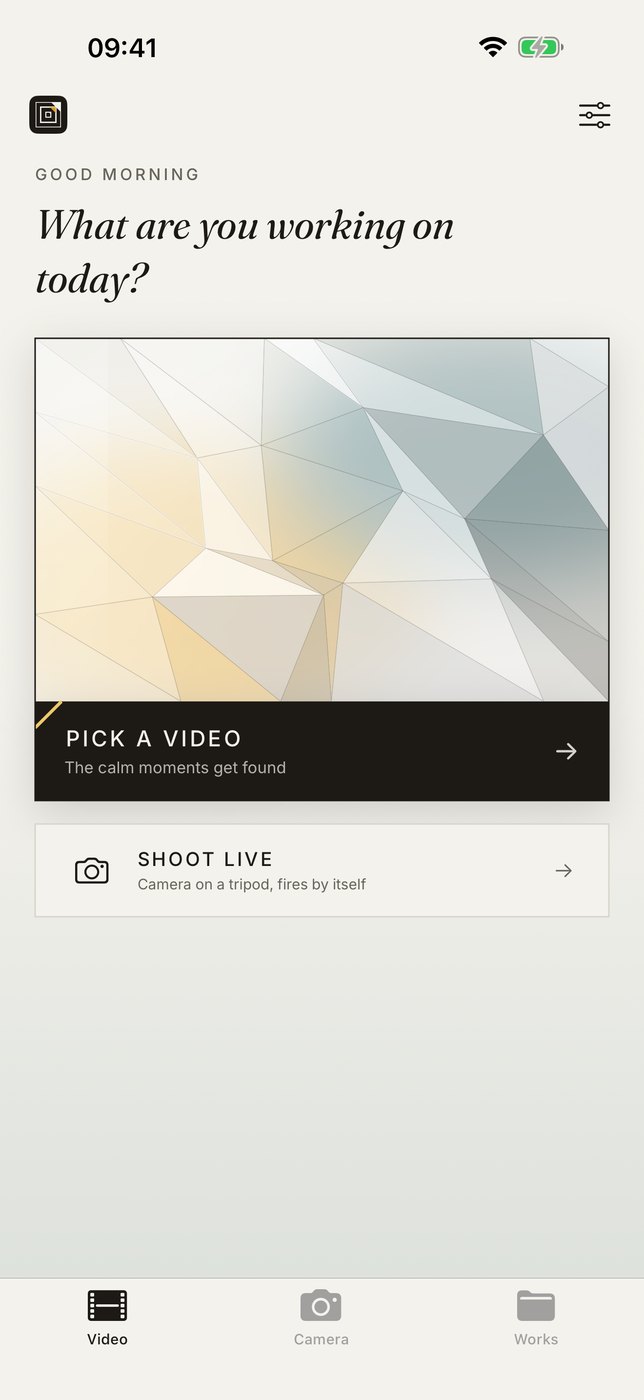
FrameFold has been on the App Store since August 2026. Version 2.0 has been live since 4 October 2026, the eighth version in seven weeks. Since 18 October 2026 FrameFold has also been running on the Mac. The app records a working process, or takes an existing video, and turns it into a stop-motion animation automatically. Its audience: visual artists, craft, art education. A market no corporation will ever serve, because the numbers do not work. For a consultancy a project like this is interesting anyway, and for exactly that reason.
The trigger was a single person
The Austrian artist Aldo Tolino folds printed photographs into objects and photographs them again. Image becomes object becomes image. He wanted to document that process without constantly interrupting it. No tripod release, no assistant, no hundred single shots taken by hand.
So we built a tool that finds the still moments in a video by itself. It discards every frame showing his hands, compensates for camera shake and assembles the rest into an animation. Everything runs on the device, with no cloud and no account.
A commission for one person turned into a public product. And the product turned into a sales argument that works differently from anything else I usually recommend.
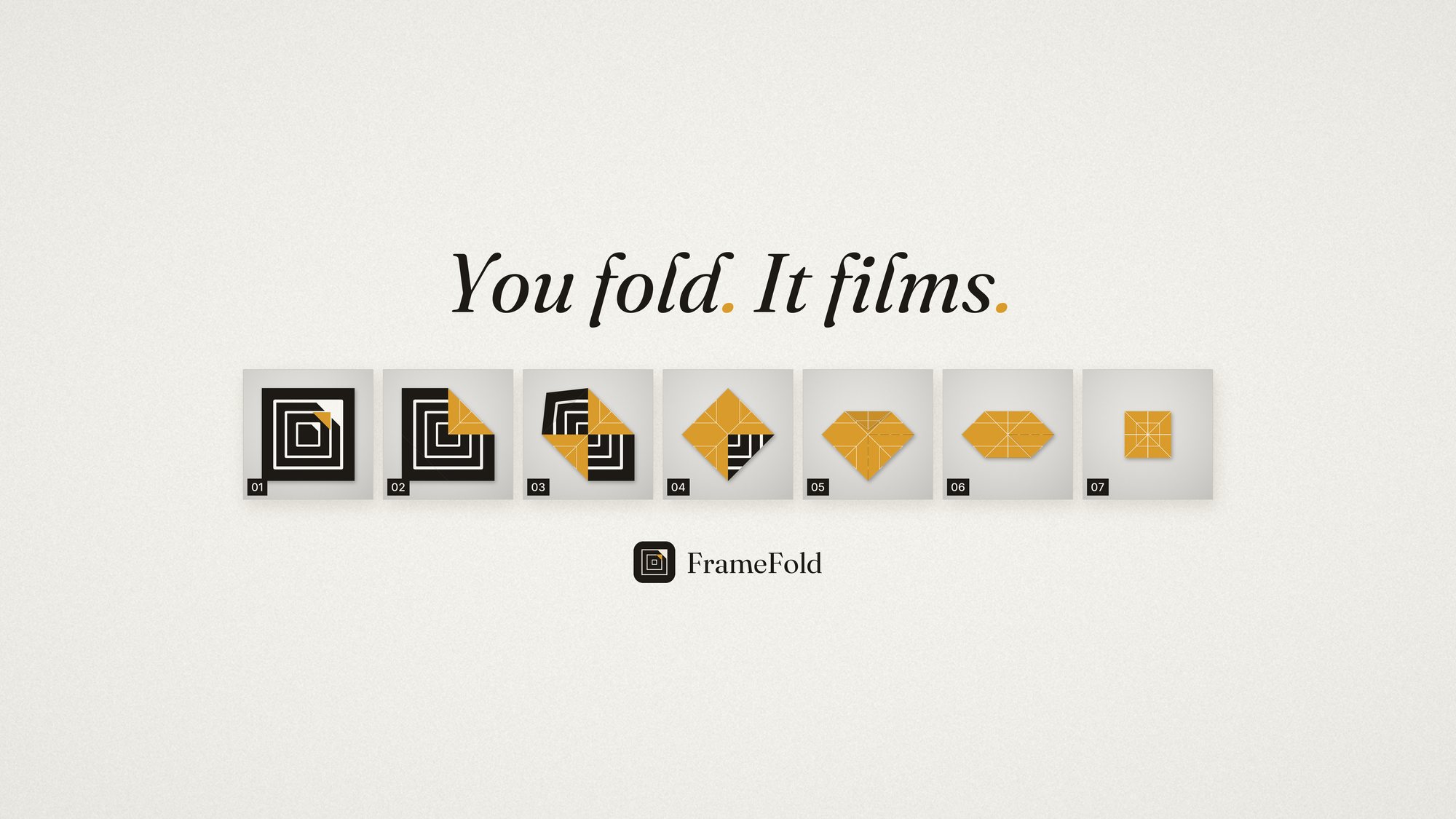
This demo video was made with FrameFold. What else.
What a small app can do that a white paper cannot
Classic content marketing asserts competence. An app that runs proves it. And the proof can be checked in seconds: download, open, try.
Proof instead of promise
Anyone who wants to know whether I finish digitalisation projects does not have to take a reference list on trust. The app is in the store, it passed Apple's review, and the unpleasant parts are demonstrably done too: privacy policy (in German), EU trader status, store compliance.
Few visitors, but the right ones
A niche app reaches few people. But whoever finds FrameFold has a very specific problem and is looking for someone who solves problems of that kind. I prefer that to a thousand clicks from people who never call.
Material you do not have to invent
A real product supplies by itself what is otherwise laboriously constructed: screenshots, a demo video, a public code repository, an origin story with a real person in it.
A sentence that opens conversations
"I do digital consulting" ends small talk reliably. "I built an app for an artist that recognises when his hands are out of frame" has extended every conversation so far.
Built for everyday life in the studio
An app does not become good at a desk, it becomes good on the tripod, in the studio, in front of an audience and with people in other countries. Seven examples of how FrameFold works there.
Somebody has to touch the tripod
On a tripod, every touch of the iPhone is a wobble. That is why FrameFold has its own app for the Apple Watch: start and stop from the wrist, with frame count and status running live on the watch face. A standalone app, from watchOS 10. Anyone not wearing a watch has two other routes to the same problem: the volume buttons on headphones and AirPods also trigger a capture, and a long press on the shutter starts a three second countdown. Since version 2.1 the automatic shutter waits until even the fingertips have left the frame, and recognises hands in low or flickering light as well. Since version 2.3 the shutter on the Watch is only active while the viewfinder is running on the iPhone, and it confirms every frame.
Eight people want to watch
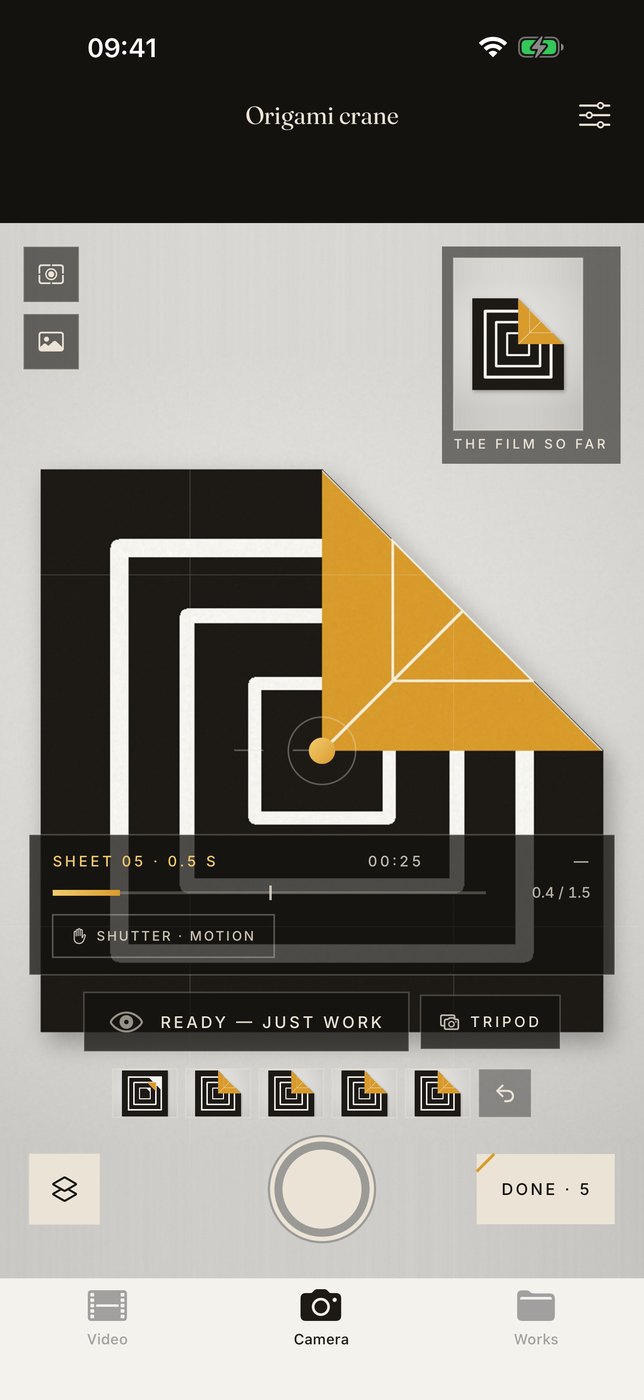
A studio visit with eight people does not work if everyone has to look at one iPhone on a tripod. So FrameFold plays to the big screen, over HDMI or AirPlay to a monitor or projector. The external screen shows the camera image with a catalogue strip. No controls, no HUD. When no session is running it shows the gallery. Made for courses and studio visits.
Seeing it take shape
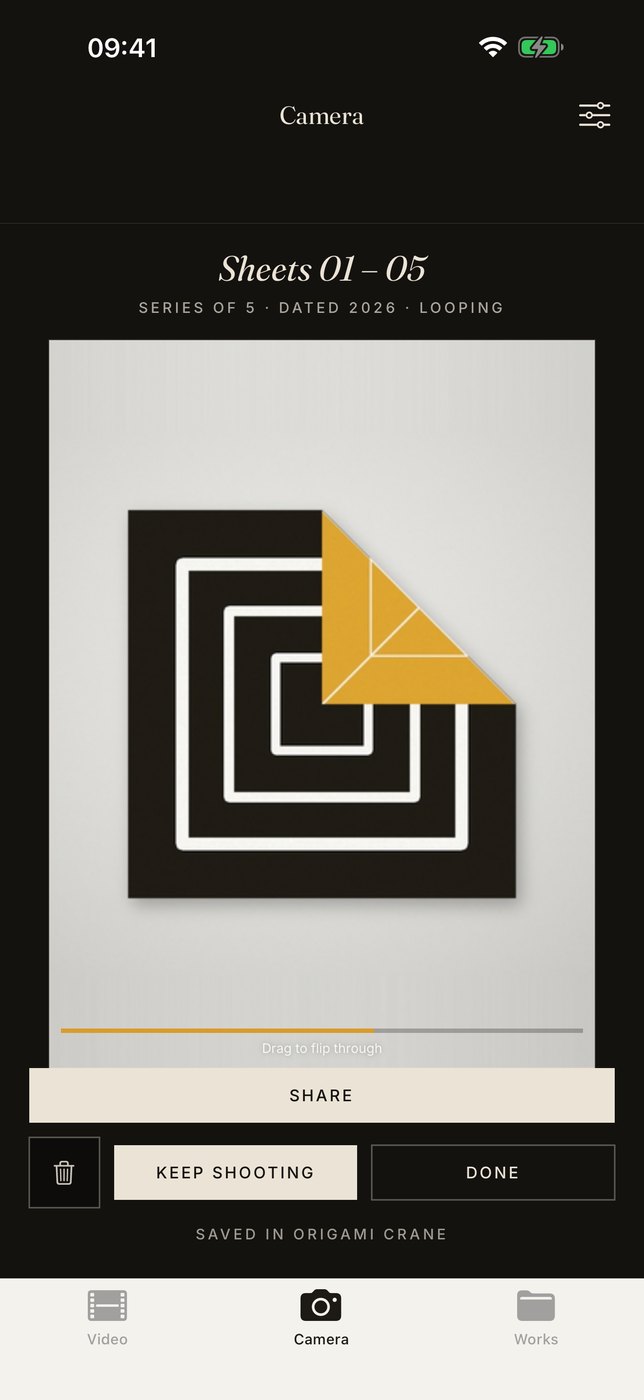
Until now the stop motion only appeared after “Done”. Since version 2.0 the film grows while you work. From the second frame on, the stop motion plays as a loop while the capture is still running. In the viewfinder it is a small tile, a tap enlarges it. On the studio monitor the picture splits: the camera on the left, “The film so far” on the right. In a course or on a studio visit everyone sees both side by side: the hands at work and the piece that comes out of it. Since version 2.1 FrameFold is also prepared for the foldable iPhone Duo: unfolded, the viewfinder splits, with the camera on the left and the film so far on the right. Since 2.2 this also works half open. While a capture is running, the outer display shows the film so far, the frame count and what the camera is doing. This has been checked in the simulator, the device itself is not yet on sale.
The image is out of focus
A blurred frame is often noticed only once the setup has long been packed away. So the camera locks focus only when it really sits: the app measures image sharpness continuously and locks at the optimum. If that does not succeed, it does not lock at all. If sharpness drops away later, the app refocuses by itself. A blurred frame does not end up in the work. On top of that, two capture modes: on a tripod the focus stays fixed, handheld it follows. The motion sensor detects which applies, a tap in the viewfinder switches over. Details are in the release notes for version 1.2. Since version 1.4 the app also selects more finely: even a small step, such as a single new crease, is recognised as a frame of its own, as described in the release notes for version 1.4.
The users speak a different language than the store
A large share of downloads came from France, although the store listing was in German only. So FrameFold has been bilingual since version 1.3. The whole app is available in English, from the first launch to the contact sheet. The language follows the iPhone setting. There is also a separate English store listing with its own description and screenshots. The new subtitle says in both languages what the app does: “Hands-free stop motion camera” and “Automatische Stopmotion-Kamera”. All changes are listed in the release notes for version 1.3. After English, French followed with version 2.0, because France stood out in the downloads early on. The app and its store listing are now available in three languages.
Back in your hands
In the end you want something to hold. Since version 2.0 the film becomes an object again: every piece can be exported as a print-ready flip book. An A4 sheet with light cutting lines, a binding edge and numbered leaves, plus a cover with the title. Short series run through several times, so the booklet is thick enough to flip. The function sits under “Print” in every mode, including Simple mode. It is made for children and courses. For Aldo Tolino’s work the circle closes once more: image, object, image. Both, the live loop and the flip book, are in the release notes for version 2.0.
The camera looks down at the table
Anyone who folds or draws at a table often finds the iPhone on its tripod in the way. That is why FrameFold has also been available for the Mac since 18 October 2026. A camera looks down at the table from above, for example a document camera on the USB port, an iPhone used as a camera or the Mac's built-in camera. FrameFold takes the picture as soon as the hands are out of the frame, just as on the iPhone. The camera is chosen in the settings, even in the middle of a recording, and the space bar works as a manual shutter. It is the same App Store listing, free for iPhone and Mac, from macOS 14. It has not yet been tried with a real document camera. Details are in the release notes for the Mac version.
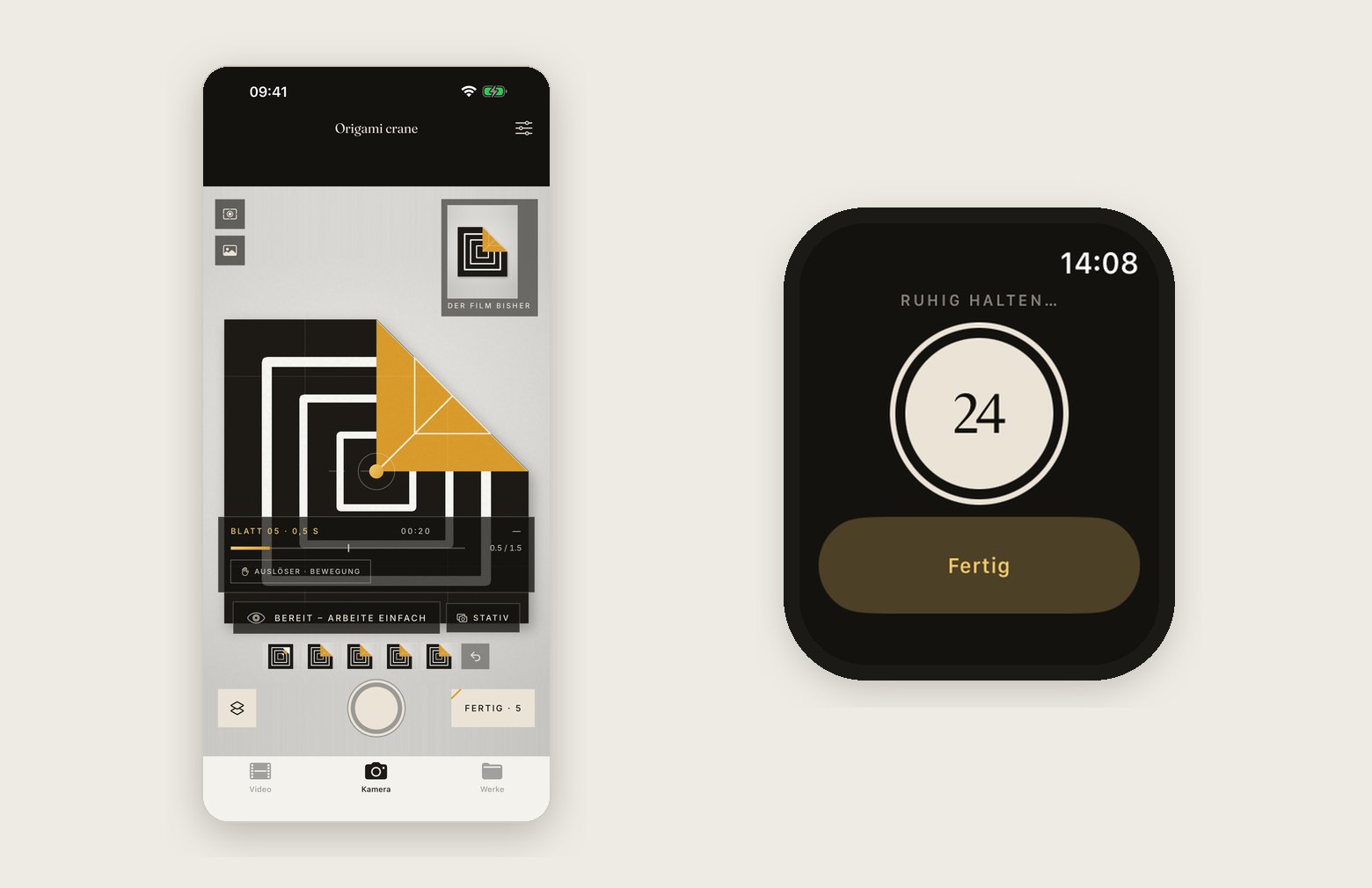
The viewfinder on the tripod, the shutter on the wrist. The iPhone stays untouched.
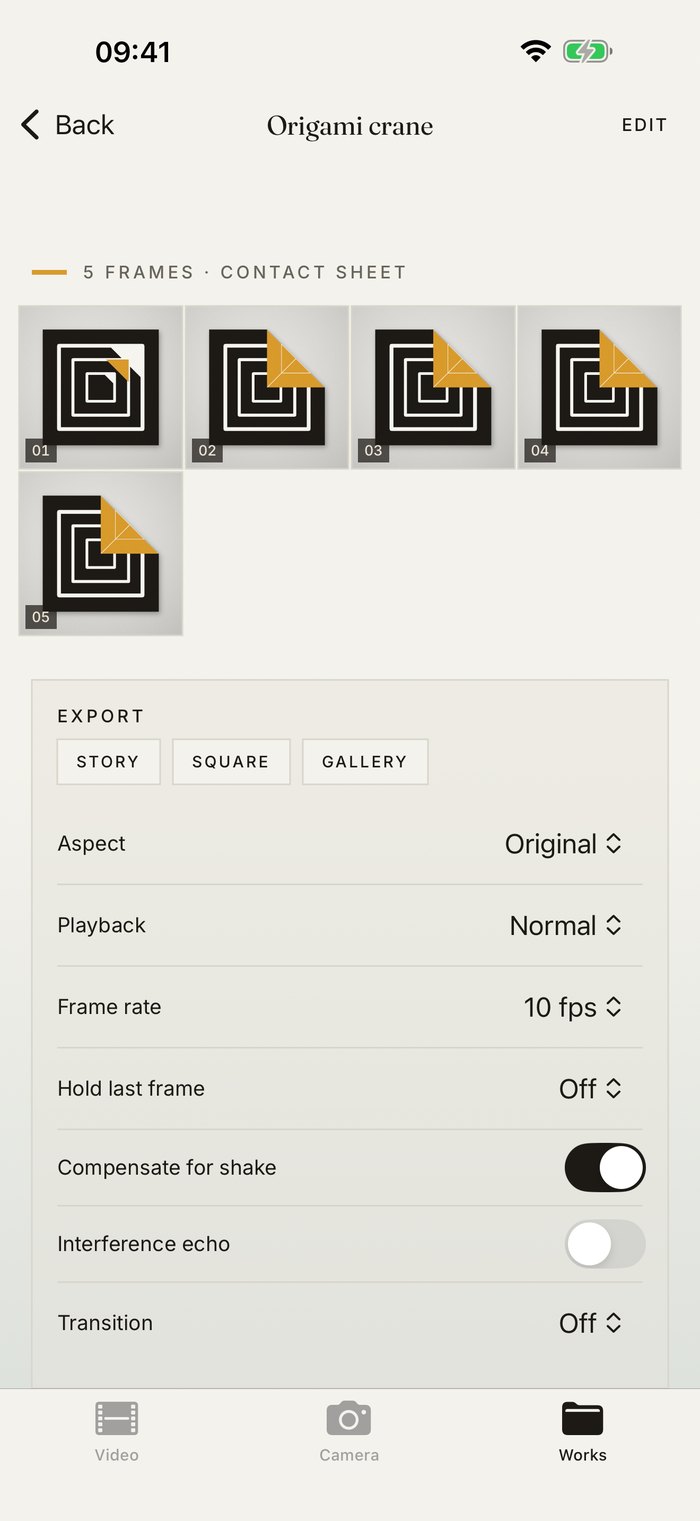
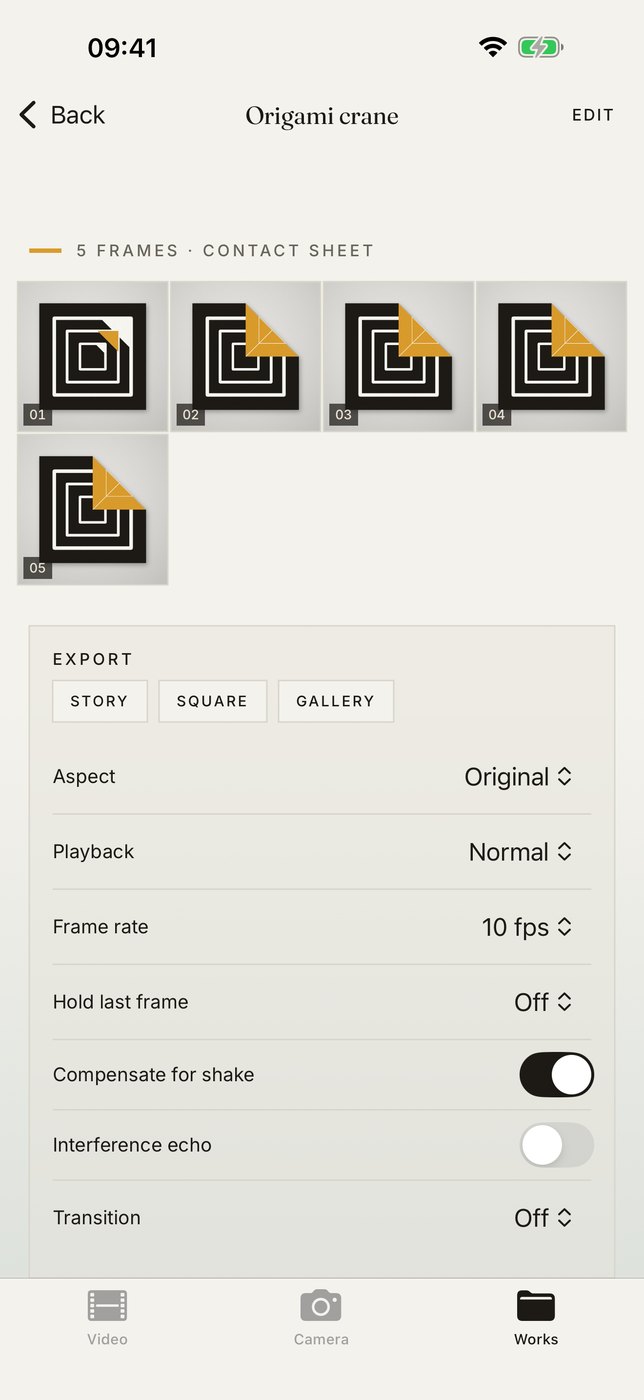
In English since 1.3: contact sheet and export.
Without paths to it, the best reference is invisible
The most common mistake with projects like this: the page is built, shared on LinkedIn once, and then disappears. A page nothing links to is meaningless to search engines and a dead end for visitors.
So this project involves more than the page itself. The home page, the service pages and the references point here in their copy, this page points back to the offering it is the evidence for, and older articles on related topics were retrofitted. That is how a story becomes a sales route. How this website as a whole serves as a test bed is described on the page about Generative Engine Optimization.
The same logic applies to your website. I check it in every project, because the best reference is useless if no path leads to it.
What a project like this requires
Honestly: your own app does not replace marketing, it complements it. And it only works under conditions not every company meets.
It takes the real problem of a real person. Invented target groups produce invented products, and it shows. It takes a willingness to make the result public, including the code and the mistakes. And it takes stamina for the unglamorous part: store guidelines, data protection and regulatory requirements are the hurdle most projects actually fail at, not the technology.
The effort is smaller than most people assume. FrameFold came about in a few weeks, developed with AI assistance and an automated build and test pipeline. The bottleneck today is rarely the implementation. The bottleneck is the decision. What that means in numbers is covered in the article Your own iPhone app for a niche: what it costs, what it returns.
Let's talk about it.
Wondering whether a small product of your own makes sense for your company? Or do you have an idea that has been in a drawer for years because building it looked too big?
FrameFold is free on the App Store and was developed by Bracharz Consulting. The source code is public on GitHub. The app processes all data locally on the device; details are in the privacy policy (in German).