FrameFold, a stop-motion camera for iPhone, iPad, Mac and Apple Watch
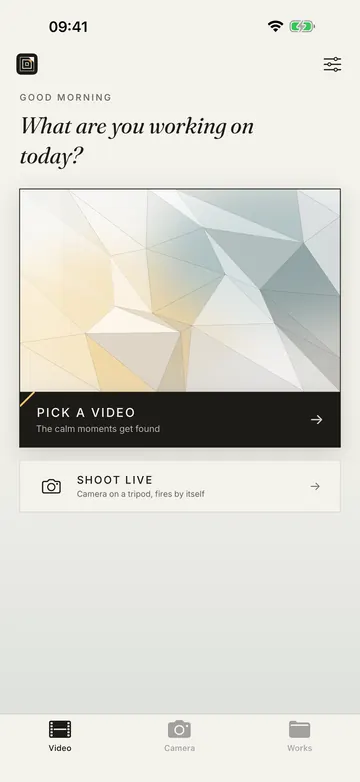
The device sits on a tripod while you work: placing, folding, drawing. As soon as your hands are out of the frame and the scene is still, FrameFold takes a picture. Hand detection comes from Apple and runs on the device. The app is free, shows no ads and needs no account.
At a glance
- Audience
- K-12 schools, art classes, studios and craft. The lesson plans are written for grades 3 to 10.
- Subjects
- Art, media literacy, STEM
- Platforms
- iPhone and iPad with iOS or iPadOS 17 or later, Mac with macOS 14 or later, Apple Watch with watchOS 10 or later as a remote. No Android or Chromebook version.
- Price
- Free. No subscription, no ads, no watermark.
- Privacy
- The app collects no data and has no account. It works offline and makes no connection to the internet. Photos, sound and films stay on the device.
- Languages
- 17: Chinese (Simplified), Czech, Danish, Dutch, English, French, German, Italian, Japanese, Korean, Polish, Portuguese (Brazil), Russian, Spanish, Swedish, Turkish, Ukrainian
- Version
- 2.12, released 17 November 2026
- Age rating
- 4+ on the App Store
- Developer
- Rainer Bracharz, Bracharz Consulting, Wilhelmsburg, Austria
- Contact and support
- Support and bug reports
What the app does
Shooting
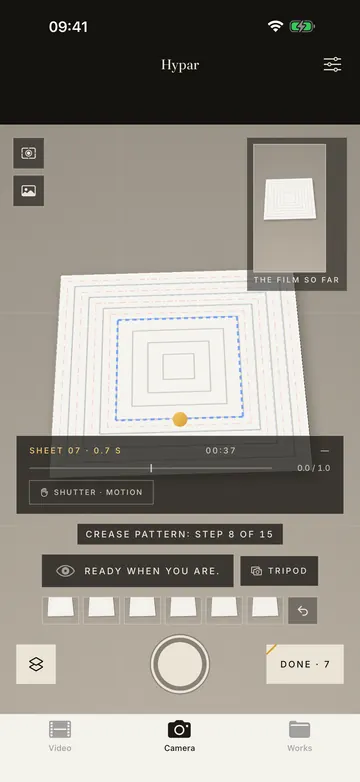
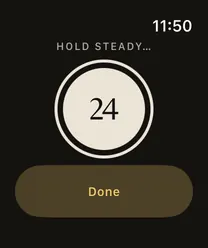
- The camera fires once your hands have left the frame and the scene is still. You can also shoot by tap, interval, clap, self-timer, volume buttons, AirPods or Apple Watch.
- Onion skin: the previous frame lies over the viewfinder, see-through.
- Exposure and white balance stay locked between frames, and focus locks only once it is sharp.
- Fold sequences Letter, Dog face and Cup: for each step the viewfinder shows the outline, the crease line and an arrow, and the camera fires once the step is folded.
- Siri and the Shortcuts app know five commands, such as “Take a frame in FrameFold”.
Editing and sound
- Duplicate, hold, reorder or reshoot single frames, and undo any step.
- Title cards and credits, text, speech bubbles and drawings in the frame, and your own images as overlays.
- Green screen replaces green or blue with an image or a video. Camera moves with pan and zoom.
- Several audio tracks, music from your own files, voice recording while the film plays, ten sound effects. Typed text can be read aloud on the device.
Output
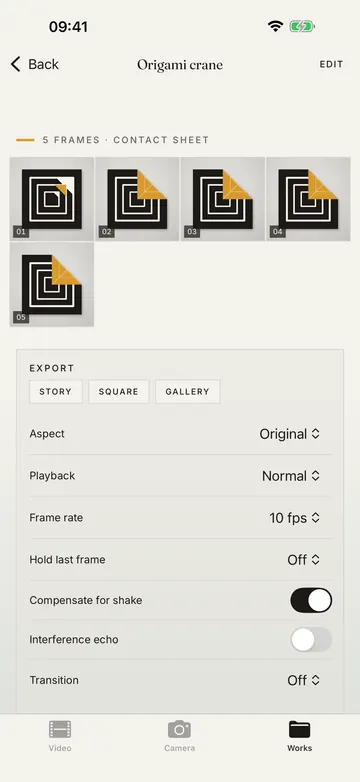
- Films at 2 to 30 frames per second and up to 4K, as a loop, boomerang or in reverse, and as a GIF.
- Contact sheet and flip book to print. The flip book comes as A4 sheets with cut lines and numbered pages.
Studio
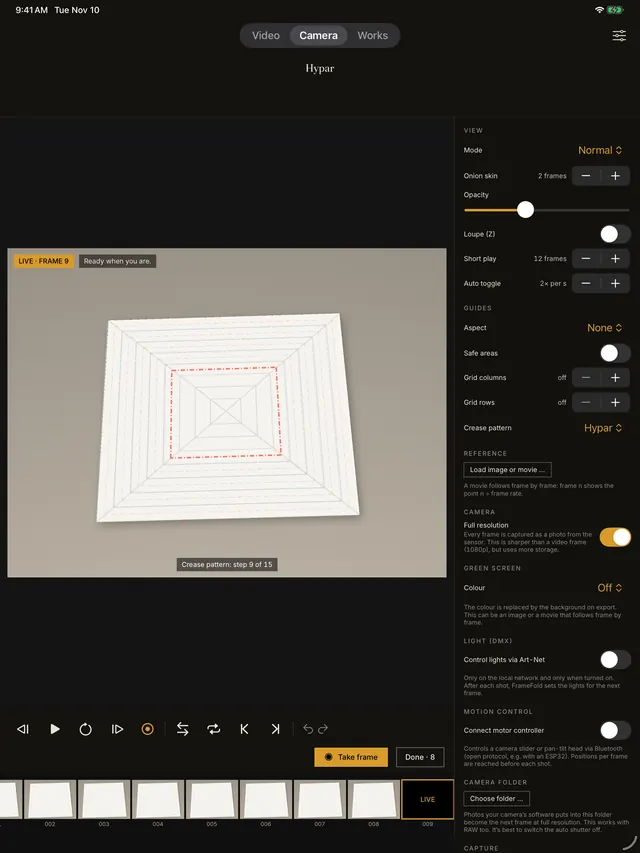
- On Mac and iPad, and on iPhone if switched on, the camera becomes a studio. It has a timeline, onion skin across several frames, aspect masks, a focus loupe and an X-sheet for mouth shapes.
- On the Mac, a camera looks down at the table, for example a document camera or an iPhone. Export also as ProRes or image sequence.
For schools
Simple mode shows only the essentials. There are no accounts for teachers or students and no sign-in. The device stays on its stand while filming, so nobody has to touch it.
iPad and iPhone get the app from the App Store or through Apple School Manager.
Lesson plans
- Stop motion in the classroom with FrameFold, a two-lesson plan on bracharz.com in English
- Trickfilm im Unterricht, the same plan with print templates on GitHub, in German
- Bauhaus-Hypar falten und als Trickfilm aufnehmen, folding a Bauhaus hypar and filming it, on GitHub, in German
The lesson plans are licensed under CC BY 4.0 and may be used freely with attribution. This licence does not cover the app.
A one-page privacy fact sheet for school leaders and data protection officers (in German) is available on request through the support page.
Listed on EdTech Impact. Both lesson plans are also on OER Commons: Stop motion in the classroom and Bauhaus hypar.
Data
FrameFold collects no data. There is no account, no server, no analytics and no advertising. Photos, sound recordings and films stay in the app’s storage on the device. They leave it only when someone shares or backs them up.
Two studio features for lighting and motion control connect only when switched on. The FrameFold privacy policy explains what happens then.